
Part 6: import scraped products
into Shopify or WooCommerce.
Shop import writes the platform's own import file: photos, your price and the MRP as compare-at or regular price, products as drafts, sizes and colours as variants.
Add to Chrome, it's free No account · private by default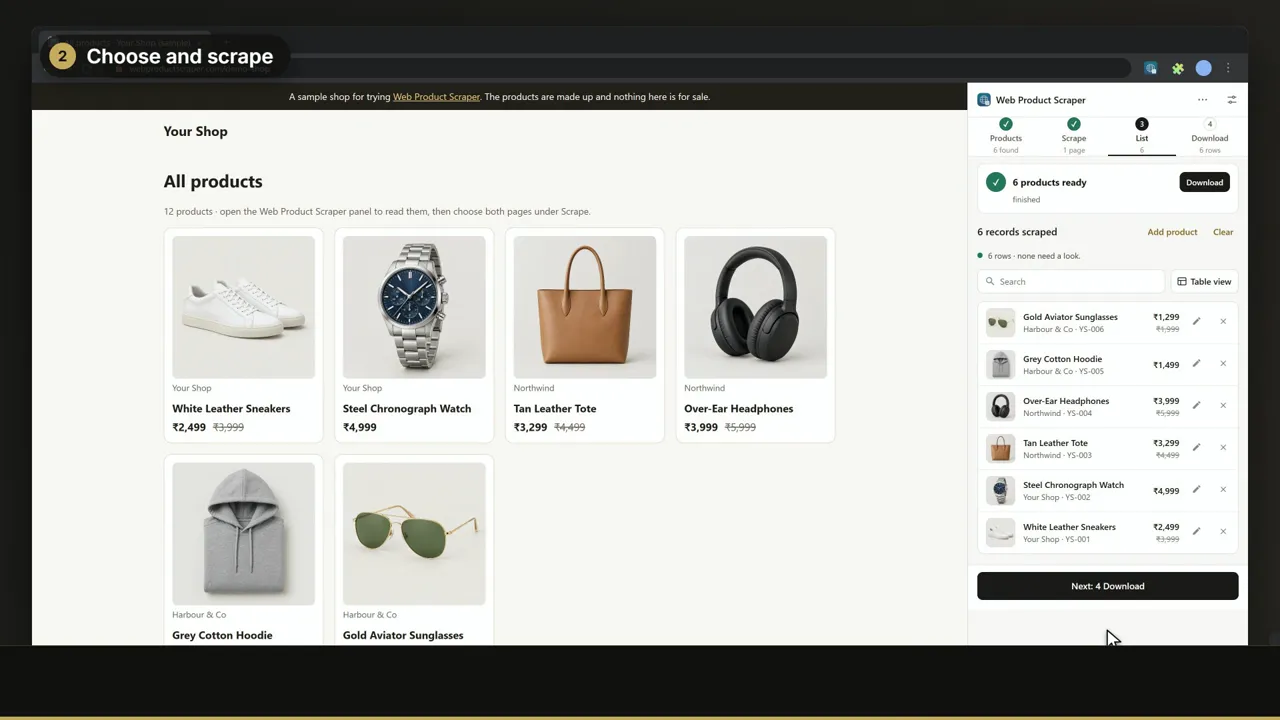
Transcript
Part six: put the products straight into your own Shopify or WooCommerce store. Scrape the products you want, as usual. In step four, choose Shop import. The file is in Shopify's own format: the photos, the price, and the M R P as the compare-at price. Or choose WooCommerce for its import file. Download it, and import it in your store. The products arrive as drafts, at your price, with sizes and colours as variants. Web Product Scraper. Free on the Chrome Web Store.
Read next
Previous: Part 5 · Price watchWatch prices and get an alert when they drop (part 5 of 8)
Next: Part 7 · Teach a shopTeach it any shop in a few clicks (part 7 of 8)
All video tutorialsThe overview and parts 1 to 8, each with a transcript.
Product CSV cheat sheetShopify and WooCommerce import columns side by side, with templates.
WooCommerce product scraperSale and regular prices, SKUs and photos from a WooCommerce shop.