
No project to build
The products appear as a table the moment you open the panel. Remove columns with a click and export.
ParseHub is a desktop app that scrapes almost any website and runs the jobs on its own servers, with scheduling and more pages per run on its paid plans. Web Product Scraper is a free Chrome extension for one job: a shop's products, with price, list price, SKU and every photo, exported to Excel, CSV and JSON plus one ZIP with a folder per product. Here is an honest comparison.
Add to Chrome, it's free No account · no server · nothing leaves your browser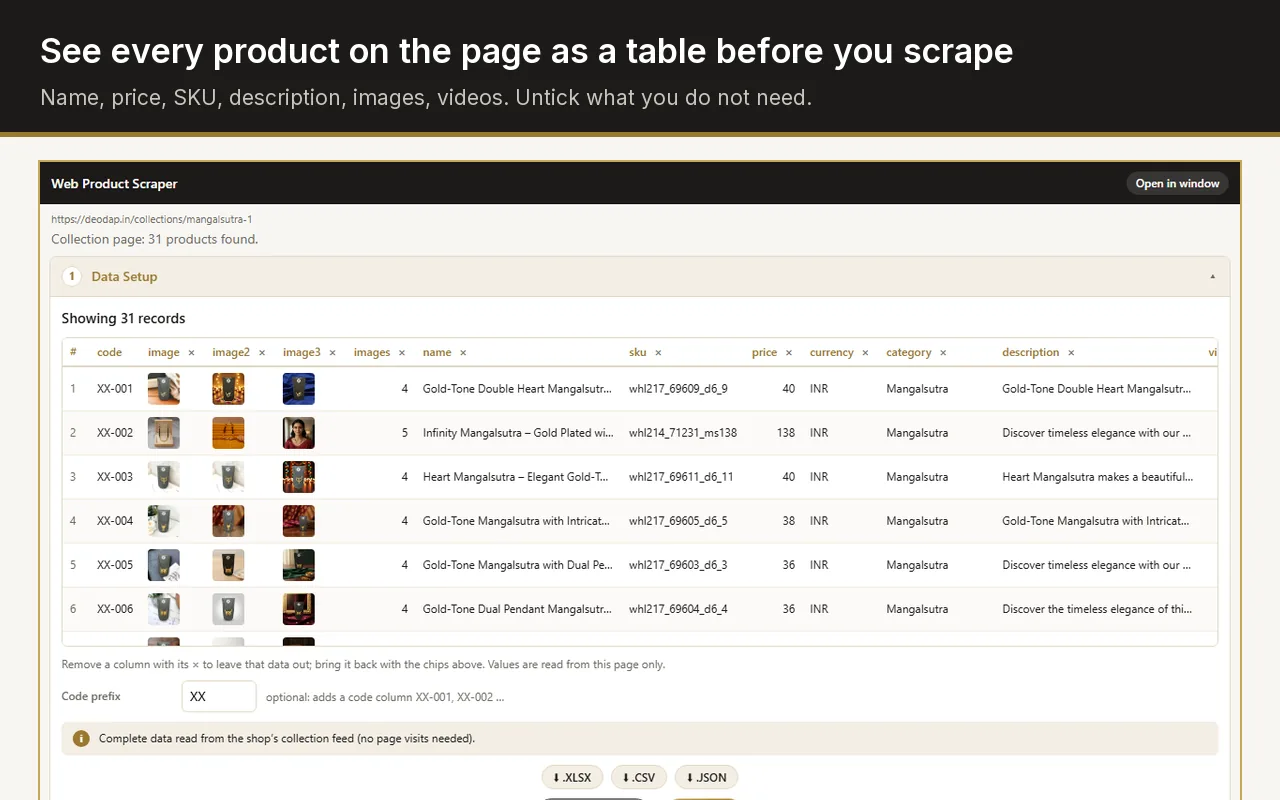
ParseHub is a desktop app for Mac, Windows and Linux, not a Chrome extension. If the pages you need are a shop's products, Web Product Scraper works inside Chrome's side panel, is free with no paid tier and no account, keeps the data on your computer, and saves every product photo in a folder per product. For sites behind a login, forms, maps or scheduled jobs across many websites, ParseHub remains the stronger tool.
Checked on 28 September 2026 against ParseHub's own pricing, features and download pages. "Not stated" means those pages do not say.
| Web Product Scraper | ParseHub | |
|---|---|---|
| What it is | A Chrome extension in the side panel | A desktop app for Mac, Windows and Linux; runs are processed on ParseHub's servers |
| Price | Free, no paid tier | Free plan; Standard $189 a month, Professional $599 a month |
| Free limits | Up to 500 pages per run, as many products as you set | 200 pages per run, 5 public projects, data kept for 14 days |
| Account needed | No | Yes, a free sign-up without a credit card |
| Who can see your project | Only you; nothing leaves your browser | Free-plan projects are public: their designs and data may be shared with other users |
| What it scrapes | Shop products: name, price, list price, SKU, brand, description, photos, videos | Any website, with a project you build by clicking: text, attributes, tables, maps, pages behind a login |
| Scheduling and API | No, it runs when you press Start | Scheduled runs on paid plans; REST API and webhooks |
| Export formats | Excel, CSV, JSON | CSV, JSON and Excel; also Google Sheets and Tableau |
| Photos saved as files | One ZIP, a folder per product | Images and files can be downloaded; saved to Dropbox or S3 on paid plans |
Use ParseHub when the job goes beyond one shop's catalogue: data behind a login, search forms, dropdowns and maps, runs that repeat on a schedule, or an API that feeds another app. Its free plan is enough to try it on 200 pages per run, and the paid plans from $189 a month add private projects, scheduling, IP rotation and far more pages.
Use Web Product Scraper when the pages are a shop's products and you want the spreadsheet and the photos now, in the browser you already have open. There is nothing to design first: the side panel recognises the products, the price and the struck-out price, and you remove the columns you do not need. The data never leaves your computer, so there is no public project and no retention period to think about.
Shopify collections are read straight from the store's product feed, so a collection is done in seconds; WooCommerce, Magento and BigCommerce shops have their own readers, and "Teach this site" handles the rest.
The products appear as a table the moment you open the panel. Remove columns with a click and export.
No account, no server of its own, nothing uploaded. The list stays in your browser until you export or clear it.
Every image and video at full size, in one ZIP with a folder per product and the spreadsheet beside them.
A struck-out price, a compare-at price or an "M.R.P." label becomes its own column, so sale prices are never mixed up.
ParseHub is installed as a desktop app for Mac, Windows or Linux. Web Product Scraper is installed from the Chrome Web Store and runs inside Chrome itself, next to the shop you are looking at.
Yes. Web Product Scraper has no account and no server of its own; the list stays in your browser until you export it. On ParseHub's free plan, projects are public, and ParseHub says their designs and data may be shared with other users.
Yes. There is no account and no paid tier. Each run reads up to 500 pages and collects as many products as you set (100 by default); run it again to add more.
It is built for public shop pages and runs when you press Start. For logged-in areas, forms or scheduled jobs, a tool such as ParseHub fits better.