
Video tutorials:
every feature in under a minute.
Start with the 1½-minute overview, then one short video for each part of Web Product Scraper: the product table, scraping a whole shop, the PDF catalogue with WhatsApp buttons, teaching it a shop it reads wrong, and search and product pages. Every video has a transcript below it.
Add to Chrome, it's free No account · no server · nothing leaves your browser
Part 1 · Filter, sort and pick exactly the products you want
 0:51
0:51Transcript
Web Product Scraper, part one: the table. Here is how to find exactly the products you want. Click the icon on a shop page, and every product is already in the table. Search across every column. Filter any column. Here, prices from forty up. Click a column name to sort it, up or down. Reset clears it all. Long lists come in pages, and you choose how many rows to show. Tick rows to export only those, or remove them together. One undo brings them back. Choose your columns. Hidden ones stay out of the files too. And type a prefix, so every product gets its own code. Web Product Scraper. Free on the Chrome Web Store.
Part 2 · Scrape a whole shop to Excel, CSV, JSON and a photos ZIP
 0:48
0:48Transcript
Part two: scrape a whole shop in one run, then download it any way you like. Open a collection page and click the icon. Choose the pages to read, here one to two. Shops that load more as you scroll are handled too. Tick open every product page for full descriptions and every photo, a few tabs at a time. Press start, and watch the list fill up. Preview the rows, and download Excel. Or CSV, or JSON. Or one ZIP with every photo and video, a folder per product. Web Product Scraper. Free on the Chrome Web Store.
Part 3 · A PDF catalogue with WhatsApp buttons
 0:42
0:42Transcript
Part three: turn the products into a PDF catalogue for your customers. Open the panel on a shop page. In Settings, add your markup. Thirty percent here, rounded up. Type your business name, WhatsApp number and Instagram. Upload your logo. Prices can be shown or left out. Press PDF catalogue. Your logo and details head page one, with six products a page and your prices. Every product has a WhatsApp button. One tap, and the message names that exact product. Web Product Scraper. Free on the Chrome Web Store.
Part 4 · Teach it any shop in a few clicks
 0:40
0:40Transcript
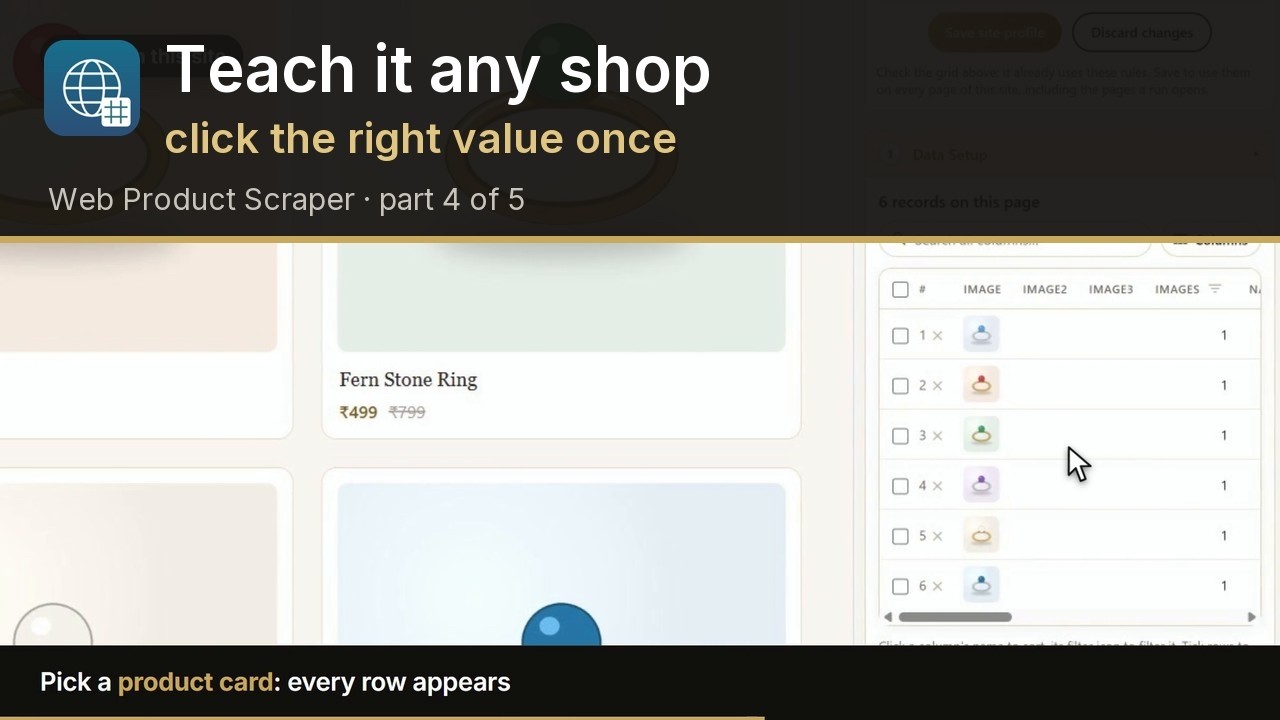
Part four: when a shop is read wrong, teach it with a few clicks. This shop is not recognised, so Teach this site opens by itself. Press Pick next to Product card, and click any product. Every product appears. Save the profile. On a product page, do the same for anything that is missing. Pick the price, then one photo: the whole gallery is found. Save. Now every page of this shop is read right, including the pages a run opens. Web Product Scraper. Free on the Chrome Web Store.
Part 5 · Search pages and single product pages
 0:35
0:35Transcript
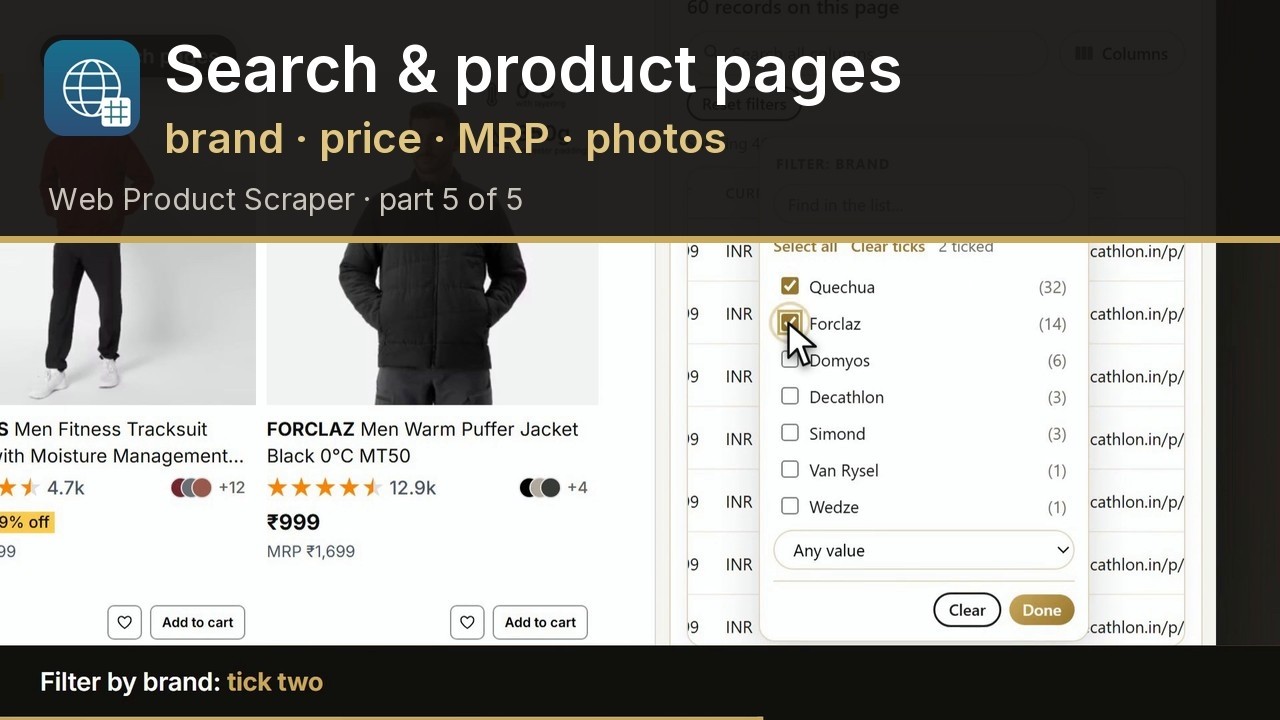
Part five: search pages, and single product pages. On a search page, it reads every product card: the brand, the price and the M R P. Filter by brand. The list shows how many products each one has. Tick two. On a product page, it takes just that product, never the recommended items. Untick any photo you do not want. And edit any field before you export. Web Product Scraper. Free on the Chrome Web Store.
Frequently asked questions
Where are the videos?
On the Web Product Scraper YouTube channel (youtube.com/@WebProductScraper), in the playlist "Web Product Scraper · Features", in this order.
Is Web Product Scraper free?
Yes. There is no paid tier and no account: install it from the Chrome Web Store and use every feature shown in the videos.
The shop I use looks different. Will it work?
Most shops that list products work as shown. When a shop is read wrong, part 4 shows how to teach it with a few clicks, and the "Site read wrong? Report it" link lets you send the page to the developer.