
A pause between pages
3 seconds by default, adjustable from 1 to 60, plus a random extra of up to half that, so the visits do not arrive in a fixed rhythm.
Collecting product data from public shop pages is everyday work for resellers and buyers, and it can be done in a way that is fair to the shop and safe for you. This page explains what Web Product Scraper does by default to stay polite, what it does not do for you, and the questions to ask before you reuse what you collect.
Add to Chrome, it's free No account · no server · nothing leaves your browser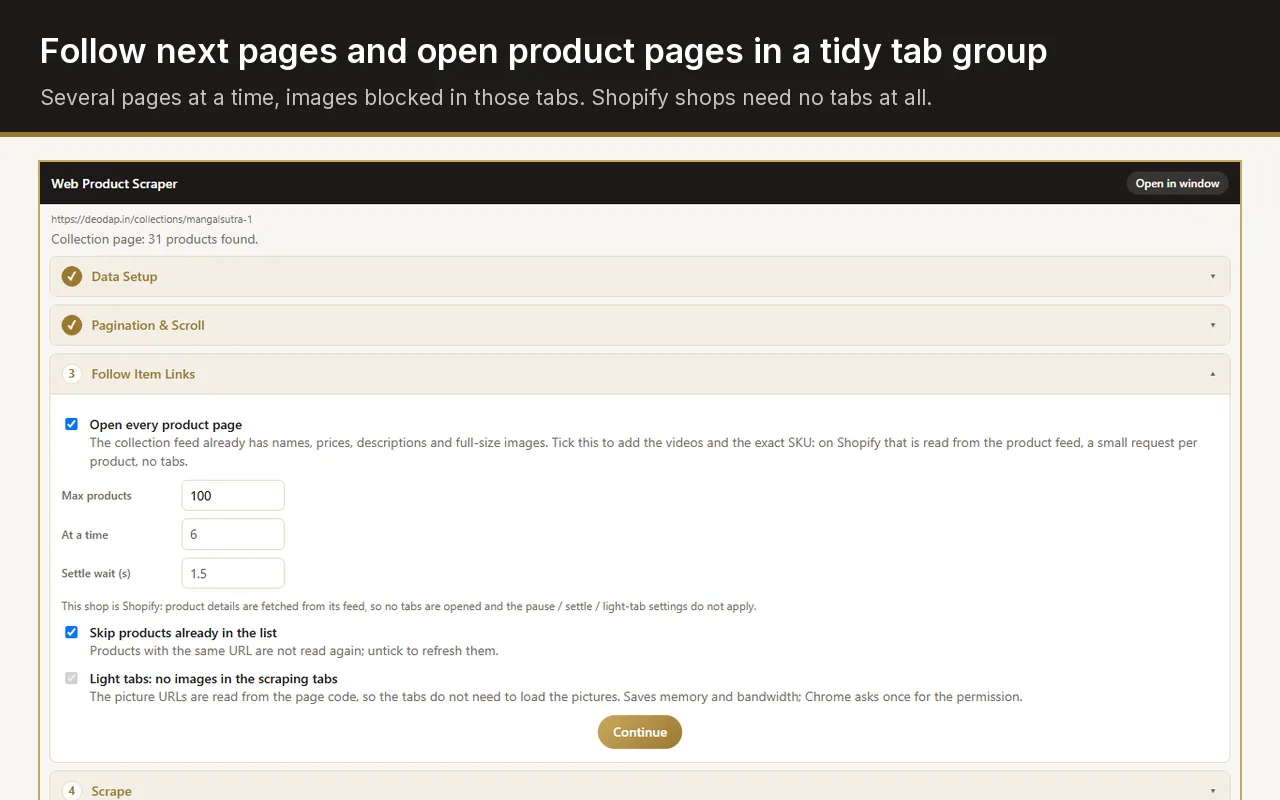
Taking only what you need from pages that are public, at a pace the site barely notices, stopping when it says no, and respecting what its terms and copyright allow you to do with the data. A tool can handle the pace; the decision about use stays with you.
3 seconds by default, adjustable from 1 to 60, plus a random extra of up to half that, so the visits do not arrive in a fixed rhythm.
Product pages open 3 at a time by default, never more than 10, in one collapsed tab group that closes when the run ends.
Pictures are blocked in the tabs it opens to read product pages, so the shop serves less; the full-size photos are downloaded when you ask for the ZIP.
After three failed pages in a row the run stops by itself, instead of retrying against a shop that is turning it away.
Shopify collections come from the store's public product feed, up to 250 products per request, instead of one visit per product.
A run starts from the page in your tab and the pages it leads to. There is no background crawling and no list of sites.
Chrome's permission is requested for one website, when you start working there, never for every site at once.
The extension talks to no server of its own; what you collect stays in your browser until you export or clear it.
Settings and taught rules are saved with Chrome's sync storage, so they appear on your other computers signed in to Chrome.
Web Product Scraper does not read a site's robots.txt file or its terms of use. It reads only the pages you open yourself and the pages a run follows from them, so the choice of site is yours, and so is checking whether that site allows automated collection.
If a shop's terms forbid it, or the shop asks you to stop, stop. Lowering the pace does not change what the terms say.
Each site sets its own rules for automated access and reuse. Read them before a large run.
They are protected by copyright. Supplier material is often meant for resellers; ask before you publish it anywhere else.
Collect products, not people. Names, emails or reviews of individuals need a lawful reason to keep, and this tool is not built for them.
Comparing public prices is common practice; republishing a competitor's whole catalogue is not.
Look for rules on automated access and on reusing content.
Set the page range and Max products to the job, not to the whole shop.
Three pages at a time with a few seconds' pause is gentle on most shops.
Before listing a supplier's products, check that you may use their pictures.
It depends on the site's terms, the data and where you are; this page is not legal advice. Reading public product pages at a gentle pace is common, but you are responsible for how you use what you collect.
It does not read robots.txt. It only visits pages you open and the pages a run follows from them; check a site's rules yourself before a large run.
The visits come from your own browser, but a shop can notice many pages opened quickly from one address and block it, which is why the pause and the stop on refusal exist.
No. It has no server of its own; your list stays in your browser until you export or clear it.