
Part 7: teach it any shop
in a few clicks.
When a shop is read wrong: pick a product card and every product is found; pick the price and one photo on a product page; save, and every page of that shop is read right.
Add to Chrome, it's free No account · private by default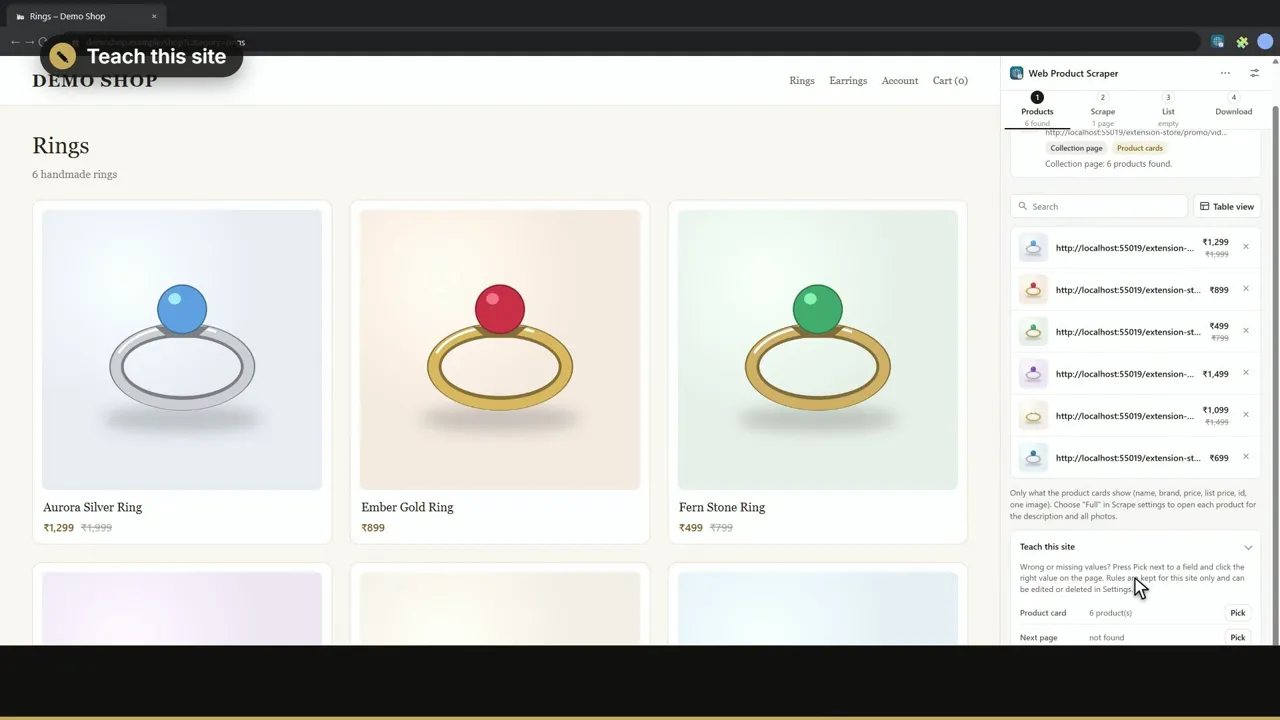
Transcript
Part seven: when a shop is read wrong, teach it with a few clicks. Open Teach this site in step one. Press Pick next to Product card, and click any product. Every product is found. Save the profile. On a product page, do the same for anything that is missing. Pick the price, then one photo: the whole gallery is found. Save. Now every page of this shop is read right, including the pages a run opens. Web Product Scraper. Free on the Chrome Web Store.
Read next
Previous: Part 6 · Shop importImport scraped products into Shopify or WooCommerce (part 6 of 8)
Next: Part 8 · Catalogue websiteMake a shop website from your products, with WhatsApp orders (part 8 of 8)
All video tutorialsThe overview and parts 1 to 8, each with a transcript.
TroubleshootingWhat to do when a shop is read wrong or a run stops.