
A home page that sells
Your logo and headline, a search box, category chips, collection tabs when you use them, a price range, sort and a grid or list view.
Web Product Scraper turns the products in your list into a small shop website: a home page with search and filters, a page for every product with all its photos, your logo and colour, and a WhatsApp button that sends you the product's code, name and price. It downloads as one ZIP that you put online free. No coding, no account with us, private by default.
Add to Chrome, it's free No account · private by default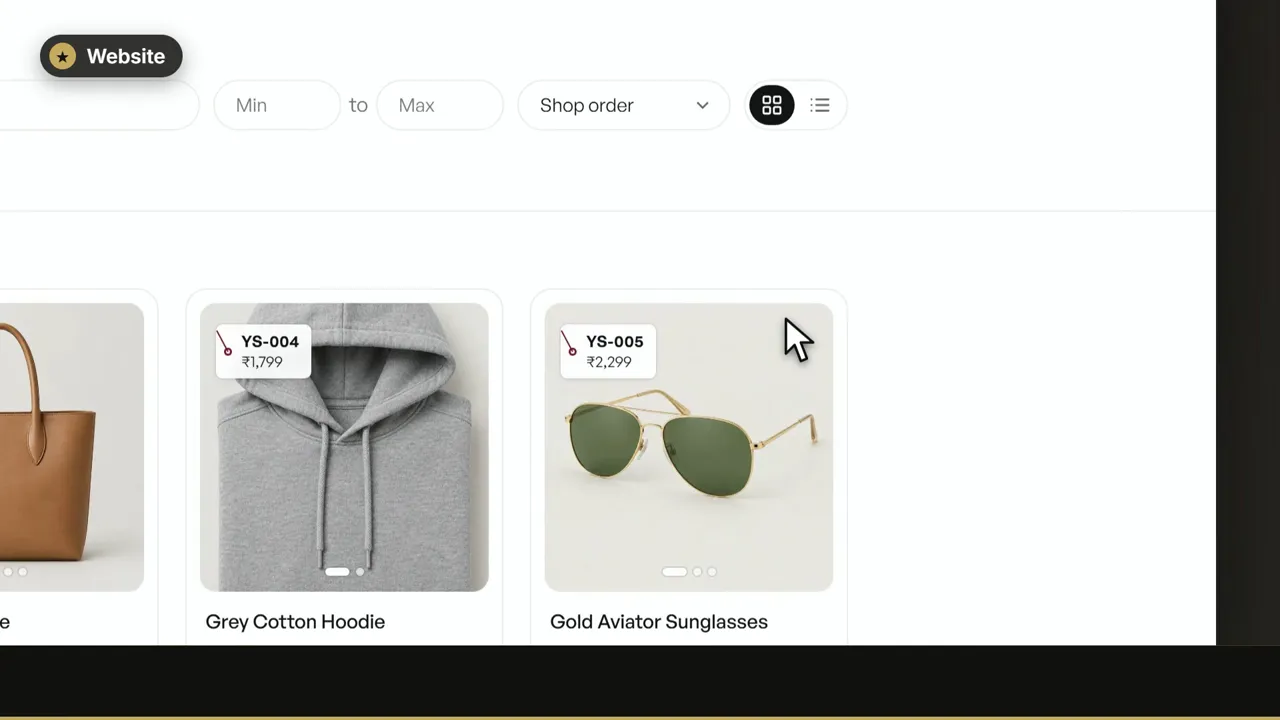 0:49
Scrape a shop's products or add your own, open step 4 of Web Product Scraper and choose Website. Write a headline, pick your colour, press Preview website to check it, then Download website (ZIP) and drag the ZIP onto Netlify Drop to put it online.
A catalogue website made with Web Product Scraper shows up to 8 photos for each product, saved as WebP at up to 1,200 pixels, with 480-pixel thumbnails in the product grid. Every product gets its own page with its code, price and description, up to 4 more products from the same category, and a WhatsApp button that sends its code, name and price. The whole site is one ZIP of plain HTML, CSS and pictures, with no database and no fee from us. Netlify's free plan is enough to keep a small catalogue online; Netlify pauses a free site only if it goes over the month's free allowance. Changing a price means downloading the ZIP again and dropping it on the same Netlify site.
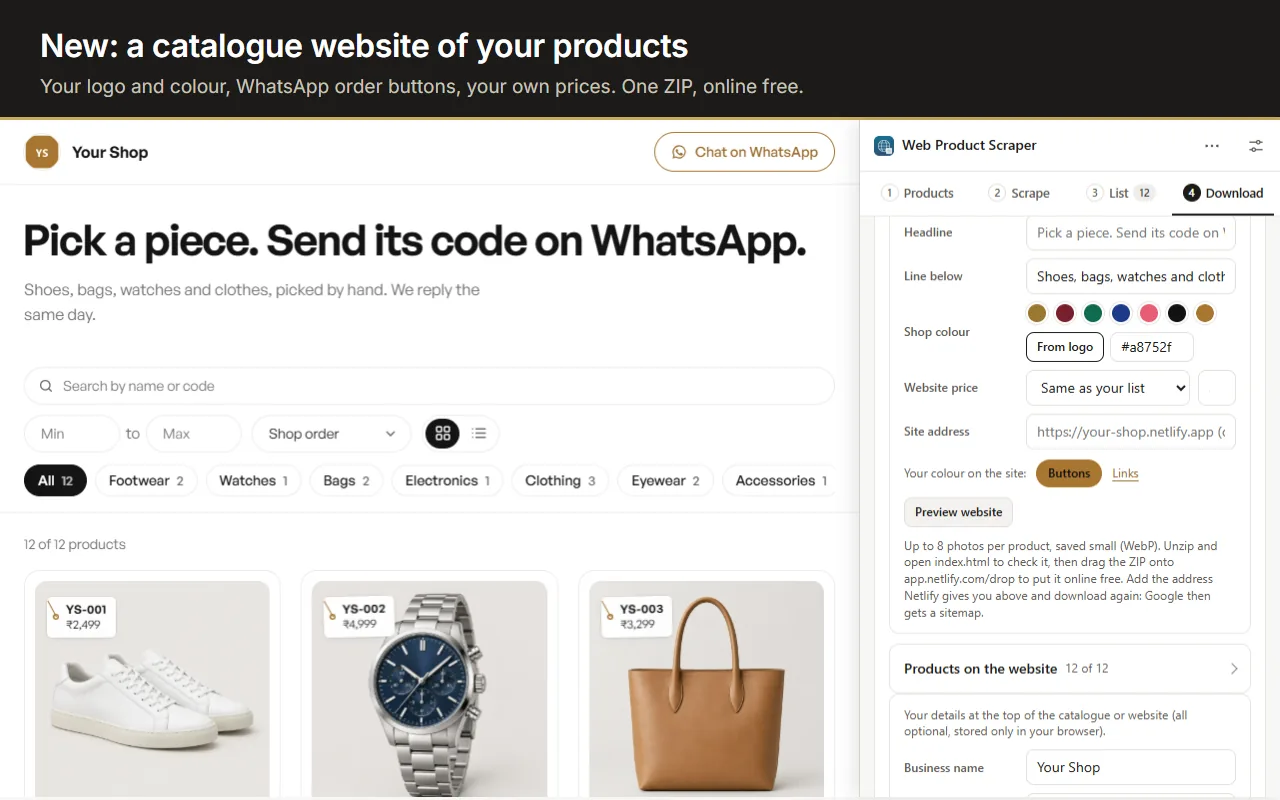
Your logo and headline, a search box, category chips, collection tabs when you use them, a price range, sort and a grid or list view.
Every photo with arrows and thumbnails (up to eight), the code, the price and MRP, the description, a share button and four more from the same category.
Your logo and your colour on every page. A colour too light for text is darkened automatically so everything stays readable.
Each product wears a small tag with its code and price, the same code your customers send you on WhatsApp.
Photos are saved small as WebP and the pages are plain HTML, so the site opens quickly on mobile data.
Add your site address and download again: the site gets a sitemap, robots.txt and canonical links, and every product has its own page.
Set a website price for every product at once: a percentage or a fixed amount added to the list's price, rounded up. Under Products on the website, type a different price for any one product, tap a photo to leave it off, or untick a product to hide it.
These changes are for the website only. Your list, the Excel and CSV files and the PDF catalogue keep the shop's price and every photo. Prefer not to show prices at all? Untick Show prices and the website and its WhatsApp messages carry none.
Press Add product in step 3 to add a product of your own: its name, price, MRP, category, collection, description and photos from your computer. Press the pencil on any row to edit a scraped product. Your changes stay when you scrape the same page again.
Every product page has a button like "Ask about YS-013 on WhatsApp", and the header has a Chat on WhatsApp button. When a customer taps it, WhatsApp opens a chat with your number and the message is already typed: "Hi, I'm interested in YS-013 Mangalsutra Heart Pendant, ₹190. Is it available?" They only press send.
There is no cart and no payment on the site: you take the order in the chat, the way most small shops on WhatsApp already work.
Sign up free at Netlify, then drag the ZIP onto app.netlify.com/drop. A site dropped without an account is only temporary, so sign in first.
Netlify's free plan lets you connect a domain you own, like yourshop.in, with HTTPS.
The ZIP is plain HTML, CSS and pictures, so GitHub Pages, Cloudflare Pages or any web host can serve it too.
Change your products or prices in the extension, download the website again and drop the new ZIP on the same Netlify site.
Pick products from a wholesaler's site, add your margin and get a shop website in your own name.
One link for all your products, to put in your bio or send to customers, instead of dozens of photos.
A simple online catalogue of what is in your shop, with your own photos and prices.
Yes. Web Product Scraper has no paid tier, and Netlify's free plan is enough to keep a small catalogue online. Netlify pauses a free site for the rest of the month only if it goes over its monthly usage limit.
No. You fill in a short form in the extension, press Download website, and drag one ZIP onto Netlify Drop.
No. It is a catalogue: customers send you the product's code on WhatsApp and you take the order and payment in the chat.
Yes. Connect a domain you own in Netlify (free plan included), then type the address in the extension and download again so the sitemap uses it.
Change them in the extension, download the website again and drop the new ZIP on the same Netlify site. The address stays the same.
Only if you want: set a website price (a percentage or an amount added), type a price for any product, or switch prices off. Please respect each site's terms and only sell products you are allowed to sell.