Web Product Scraper

What's new in
Web Product Scraper 1.7.

Version 1.7.0 is live on the Chrome Web Store. It adds Google Sheets and JPG photos, and makes the first minutes easier for new users. It also includes everything planned for 1.6.1.

Add to Chrome, it's free No account · private by default
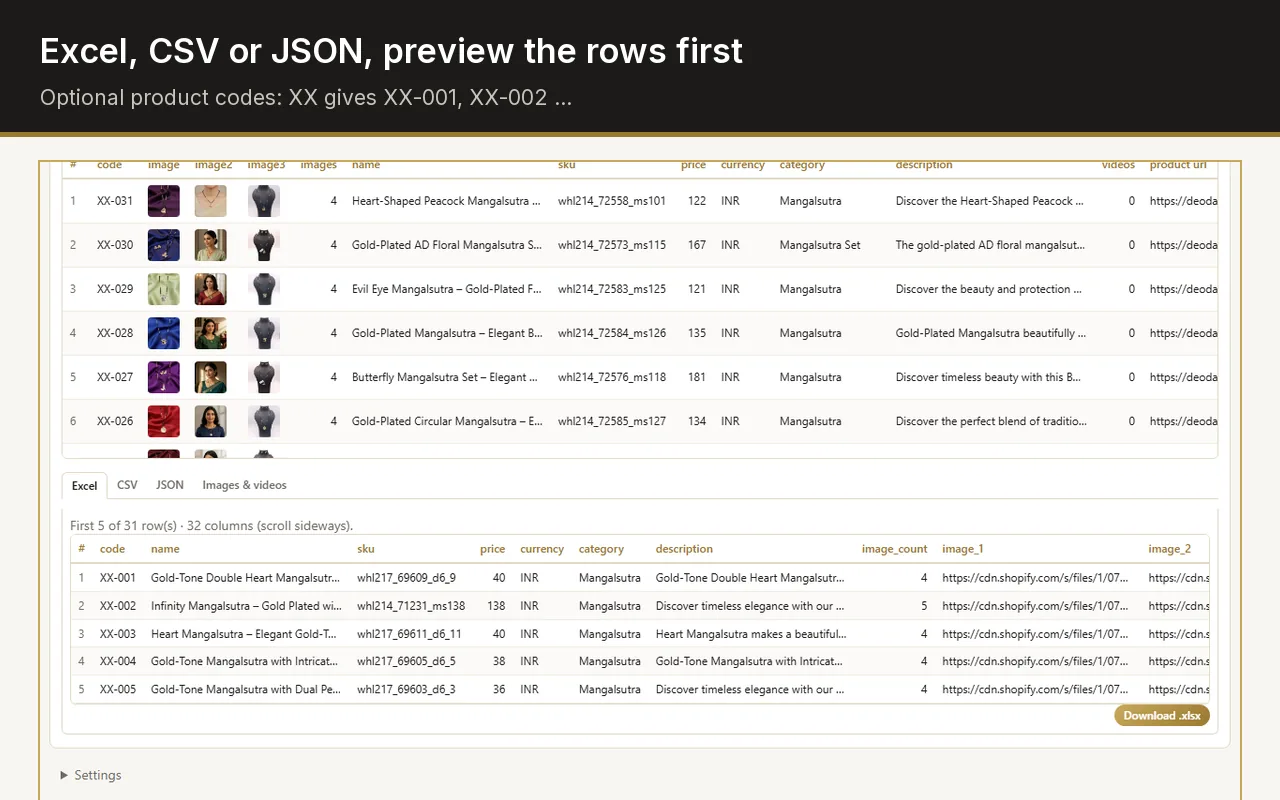
Excel export preview in the Web Product Scraper side panel: the first product rows with code, name, SKU, price and image links

What changed in version 1.7?

Two new download options, Open in Google Sheets and Save photos as JPG, plus a gentler first run: a getting-started guide after installing, a sample shop to try it on, and a clearer line beside Allow this site.

  1. Open in Google Sheets copies the product table and opens a new, empty Google Sheet: press Ctrl+V in the first cell.
  2. Save photos as JPG converts WebP, AVIF, PNG and GIF photos to JPG in your browser before the ZIP is saved. Without it, each photo keeps the file type the shop serves.
  3. After a new install, the getting-started guide opens once. When a page has no products, the panel offers a sample shop to try it on.
  4. Uninstalling opens a short page where you can pick a reason with one click, if you want to. Nothing about you is recorded, only how often each reason is chosen.
  5. "Site read wrong? Report it" now writes to hello@webproductscraper.com.

What stays the same

Free, no account

There is still no paid tier and no sign-up.

Nothing leaves your browser

The product list stays in your browser; the extension has no server and no tracking.

Same permissions

Site access is still asked for per site, only when you start a run there.