Web Product Scraper

What's new in
Web Product Scraper 1.10.

Version 1.10.0 is live on the Chrome Web Store. Its headline is a catalogue website made from your products. It also carries everything from 1.8 and 1.9, which this blog had not covered yet.

Add to Chrome, it's free No account · private by default
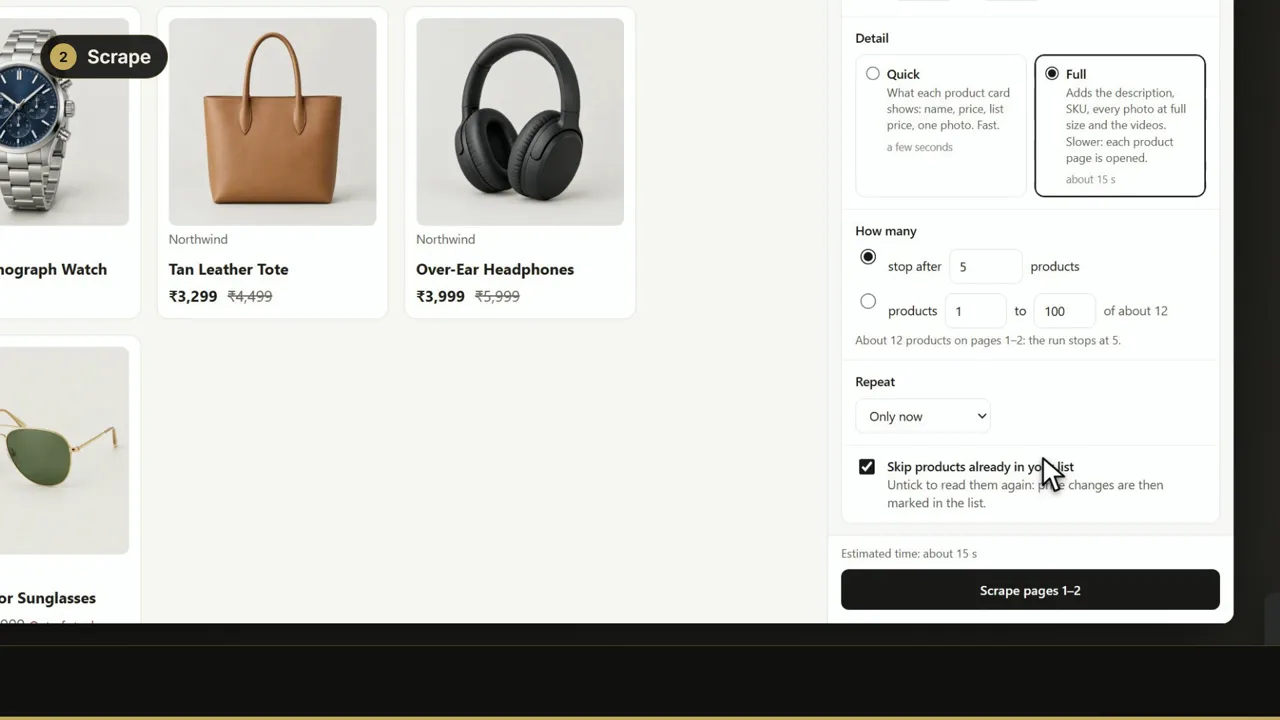
Video: Web Product Scraper 1.10: shop products to Excel, a PDF catalogue and your own website1:49
Watch: everything in 1.10 in under two minutes. Version 1.10 in four steps: every product of a shop page with its price; this page, all pages or a range, Quick or Full, a daily repeat with price-drop alerts; your list, with price changes marked and counted; Excel, CSV, JSON, Shopify or WooCommerce import, a photos ZIP, a PDF catalogue with WhatsApp buttons, and a catalogue website online free. Transcript and details on the video page, watch on YouTube.

What changed in version 1.10?

Step 4 can now build a small shop website from your products, step 3 lets you add and edit products of your own, the website can have its own prices and photos, runs choose their own speed, and more shops are read correctly.

  1. A catalogue website from your products. Step 4 has a new Website tab: a small shop site with search, categories and a price range, a page for every product with all its photos, your logo and colour, and an "Ask about this code on WhatsApp" button. Preview it, download one ZIP and drag it onto Netlify Drop to put it online free.
  2. Your own products. Step 3 has Add product, with photos from your computer, and every row has Edit. Your changes stay when you scrape the same page again.
  3. Website-only prices and photos. Add a percentage or an amount, type a price for any product, leave photos off or hide a product. Your list, the Excel files and the PDF catalogue keep the shop's values.
  4. Auto speed. A run starts at 5 product pages at a time, slows down by itself when a shop starts refusing, and remembers the pace that worked for each website.
  5. More shops read correctly. Nykaa and Meesho pages are now read, along with Myntra since 1.9.

Also new since 1.7: versions 1.8 and 1.9

Rows worth a look (1.8)

Before you save a file, a line counts the rows with no name, no price, no photo or a repeated SKU. "Show them" lists each one with the reason. Nothing is removed.

Four steps, one screen each (1.9)

Products, Scrape, List and Download, each with a Next button. Products show as a compact list, and Table view shows every column.

Time estimates (1.9)

Step 2 estimates how long a scrape takes, and a run shows the time left. Full scrapes are faster.

Clear or add (1.9)

Scraping again asks whether to clear the list or add to it.

Better list prices (1.9)

A card's bank offer (IKEA) or a "bought together" price (Decathlon) is no longer read as the MRP.

One permission fewer (1.9)

The optional Light tabs setting is gone, and with it the camera and microphone wording in Chrome's prompt.

One new permission

Version 1.10 asks for unlimitedStorage. It keeps the photos of the products you add yourself with your list, in your browser. Nothing is sent to us: the extension still has no server.
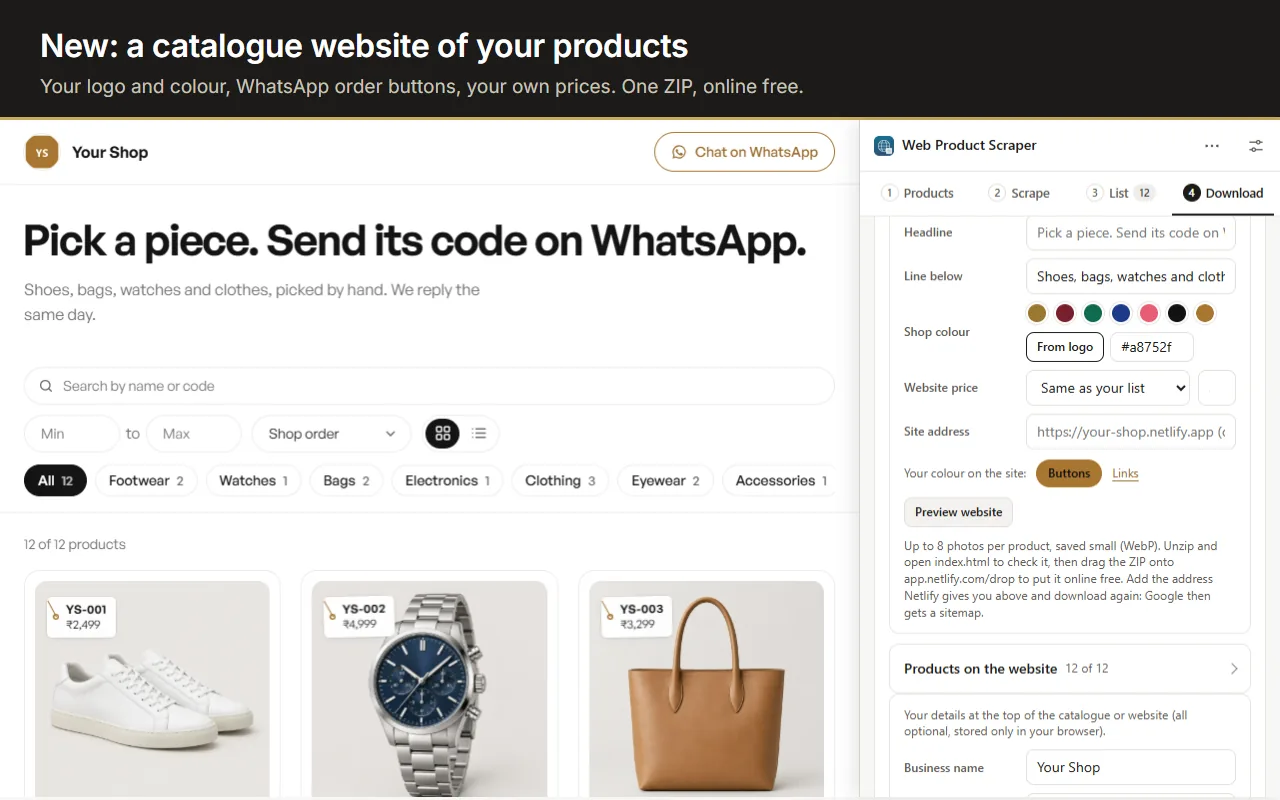
A catalogue website made with Web Product Scraper: a shop home page with logo, search, category filters and product cards

What stays the same

Free, no account

There is still no paid tier and no sign-up.

Nothing leaves your browser

The product list stays in your browser; the extension has no server and no tracking.

Same per-site access

Site access is still asked for per site, only when you start a run there.