
Part 2: scrape a whole shop
to Excel, CSV, JSON and a photos ZIP.
Choose the pages and Quick or Full, press Scrape and watch each product light up on the shop page, find every product in your list, then download Excel, CSV or JSON, or one ZIP with every photo in a folder per product.
Add to Chrome, it's free No account · private by default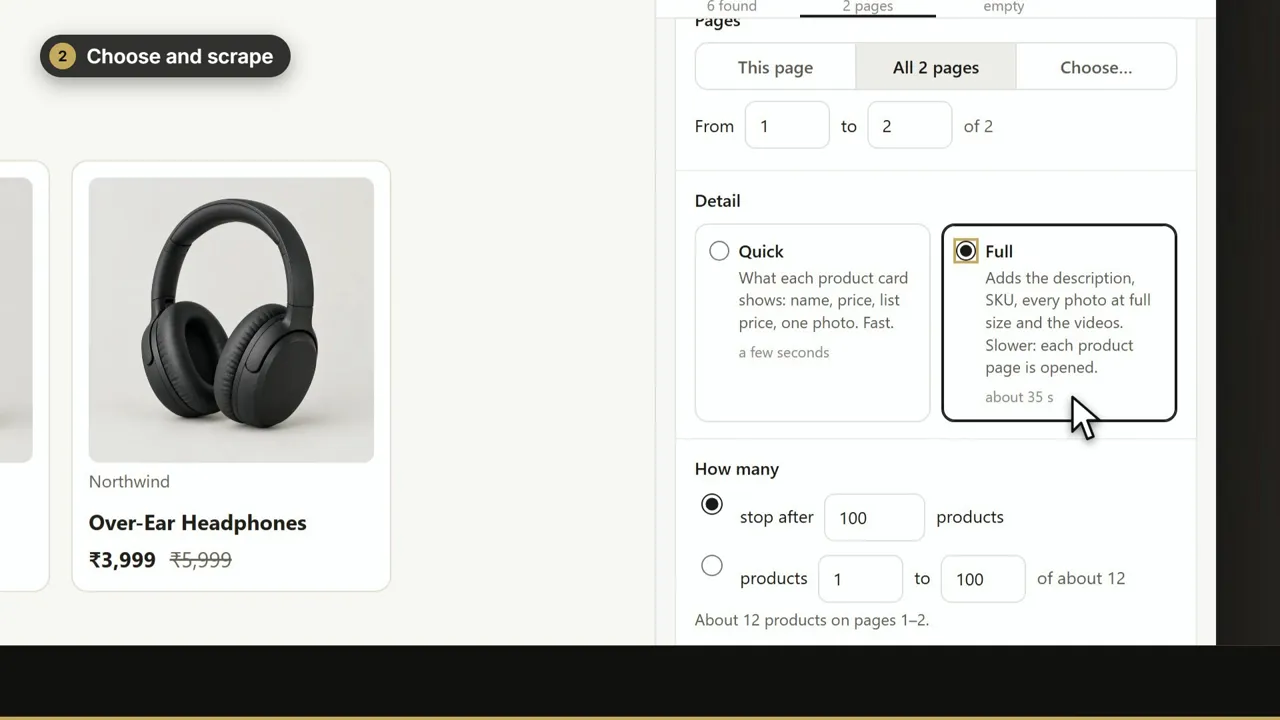
Transcript
Part two: scrape a whole shop in one run, then download it any way you like. Open a collection page and click the icon. In step two, choose the pages. Here, all two pages. Quick takes what the product cards show. Full opens every product, for the description and every photo. Each one says how long it takes. Press Scrape. On the shop page, each product lights up while it is read, then gets a tick. Every product lands in step three, your list. In step four, preview the rows, and download Excel. Or CSV, or JSON. Or one ZIP with every photo, a folder per product, the photos named by SKU or by your codes. Web Product Scraper. Free on the Chrome Web Store.