
A folder per product
Each folder is named after the product, so the photos never get mixed up. Files inside keep the shop's order: product-1.jpg, product-2.jpg, and so on.
Open a shop's collection or a single product page, and Web Product Scraper collects every image and video at full size. It saves one ZIP: a folder per product, named after the product, with the spreadsheet of product data beside them. Free, no account, nothing leaves your browser.
Add to Chrome, it's free No account · no server · nothing leaves your browser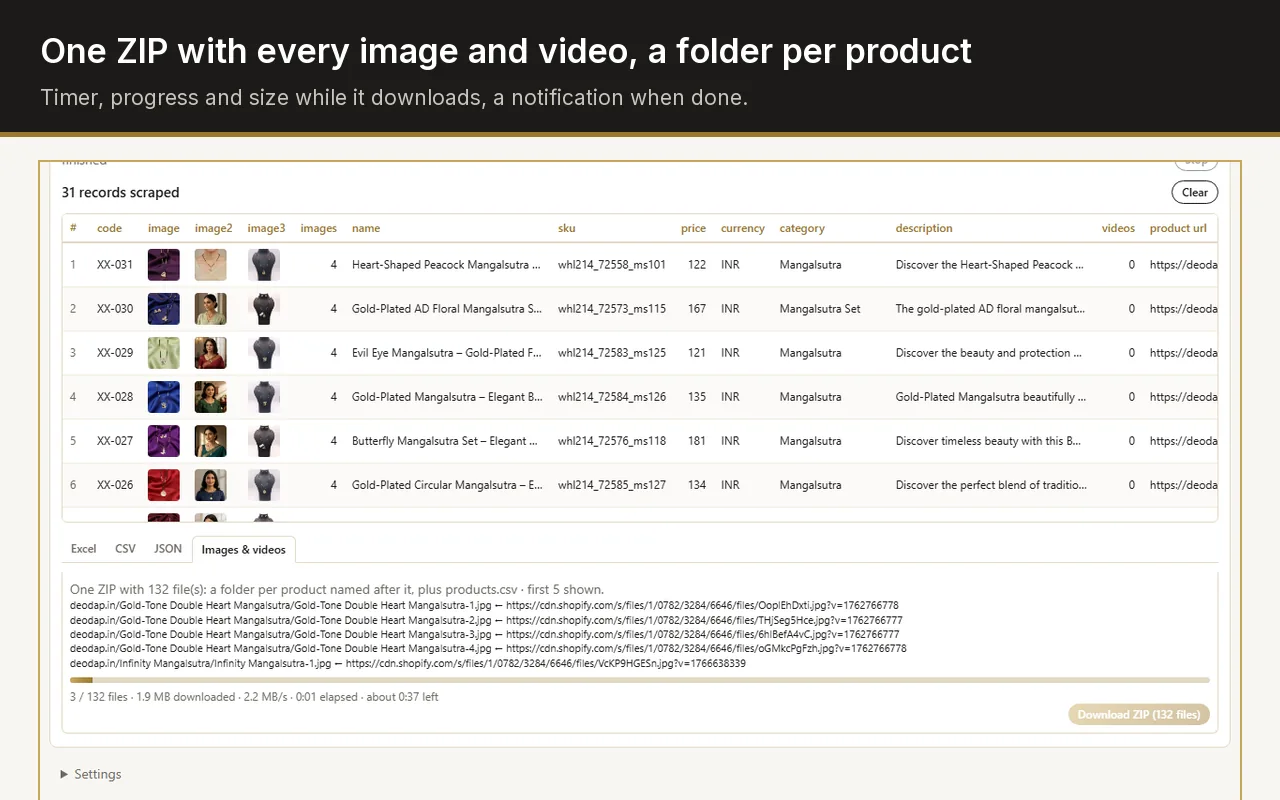
Install Web Product Scraper, open the shop page that lists the products, scrape them, then open the "Images & videos" tab and press Download ZIP. Each product gets its own folder named after it, holding every image and video at full size, and the spreadsheet is saved in the same ZIP.
One archive, ready to hand to a marketplace, a designer or a WhatsApp catalogue.
Each folder is named after the product, so the photos never get mixed up. Files inside keep the shop's order: product-1.jpg, product-2.jpg, and so on.
Listing pages usually show small versions. When the extension opens the product pages, it collects the originals at their full size.
Product videos are downloaded with the photos when a shop has them.
products.csv sits in the ZIP next to the folders, so the data and the photos travel together.
File count, megabytes downloaded, speed and a timer while it runs, then a notification when the ZIP is saved.
If a file cannot be fetched, the ZIP holds a _failed.txt listing exactly which ones, so you can fetch those by hand.
The jewellery catalogue this tool was first built for is a good example of the scale: 140 products from one supplier site, 698 photos, one ZIP. Sorting those by hand, downloading each photo and naming it after its product, is an afternoon of work. As a single download it is a few minutes, and the folder names match the product names in the spreadsheet.
The same run gives you the spreadsheet with names, prices, list prices, SKUs and descriptions, so a marketplace upload or a printed catalogue can be built from one export instead of two.
Images are fetched from the shop's own servers, at the pace the extension sets, with a pause between page loads. Read the site's terms and take only what you need.
A ZIP of several hundred photos is hundreds of megabytes. The timer shows the speed; you can keep working in other tabs while it runs.
The files never pass through a server of ours. There is no upload, no queue and no account.
Yes. Open the product page, and the panel shows that product with its photos ticked. Untick any you do not want, then download the ZIP.
The original size, as long as the product pages are opened during the run. On Shopify shops the full-size links come from the shop's product feed, so no page visits are needed.
The ZIP contains a _failed.txt file listing each address that could not be fetched, so nothing disappears quietly.
You are responsible for how you use them. Supplier photos are usually meant for resellers, but read each site's terms, and never republish photos you have no right to use.